User Management
New as of 1.3
User management is available in Dokku Pro 1.3 and later.
Users are a Dokku Pro construct built on top of Dokku's ssh-keys plugin. A user created
with users:create is automatically mapped to the matching SSH key added via
ssh-keys:add, can sign in to the Dokku Pro UI and API, and is granted whatever access their
teams provide. This page covers the users:* CLI commands; to manage the same users from the
browser, see Managing Users.
users:create <user> [<password>] # Create a user
users:destroy <user>             # Destroy a user
users:list                       # List all users
users:refresh-reset-token <user> # Refresh the password reset token for a user
users:report [<user>]            # Gets info for a user
users:set-password <user> [<password>] # Set the password for a user
Installing the Users Plugin
Note
The users plugin requires the teams plugin to be enabled.
Before using the commands, install the plugin:
# make the plugin available for dokku
sudo dokku-pro teams:install

# enable the teams plugin in dokku
sudo dokku plugin:enable teams

# enable the users plugin in dokku
sudo dokku plugin:enable users

# enable integration with dokku
sudo dokku teams:enable
Special Users
The admin and dokku users are special, root-level users that cannot be added or removed.
A password can be associated with them, and SSH keys are associated appropriately.
In addition, the Dokku Pro UI comes configured with a single root user. By default its
username is root; it can be changed with an environment variable (see the
Configuration documentation).
Adding Users
Note
By default, only admins can create users. The user commands can be granted to a team.
To add a user, run users:create with a username and an optional password:
Username rules (updated in 1.4.0)
A username must begin with an alphanumeric character and cannot contain / or :.
Uppercase letters and underscores are permitted (as are ., -, and @), so an
email such as Alice@example.com is a valid username. Usernames are case-sensitive
but unique case-insensitively: you cannot create Bob while bob exists. This is
what lets a name from an upstream proxy map onto a user - see
Reverse Proxy Authentication.
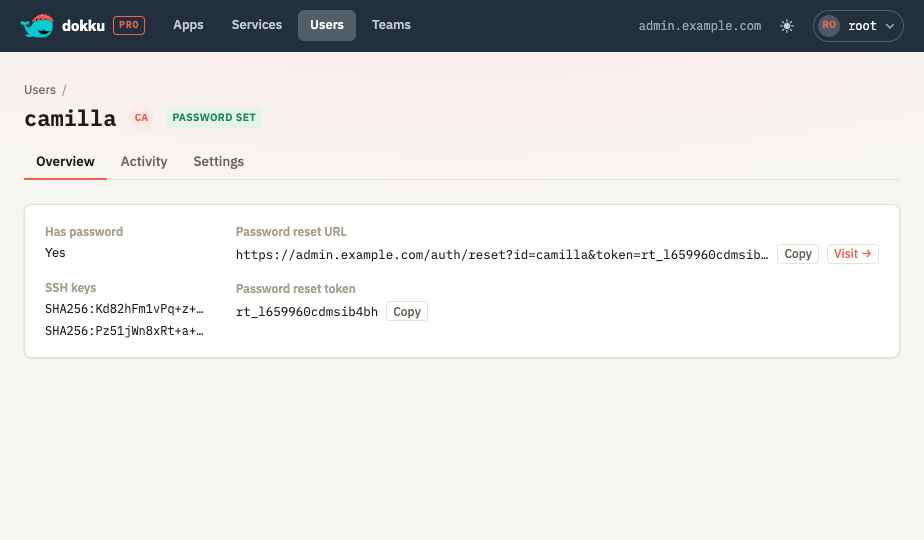
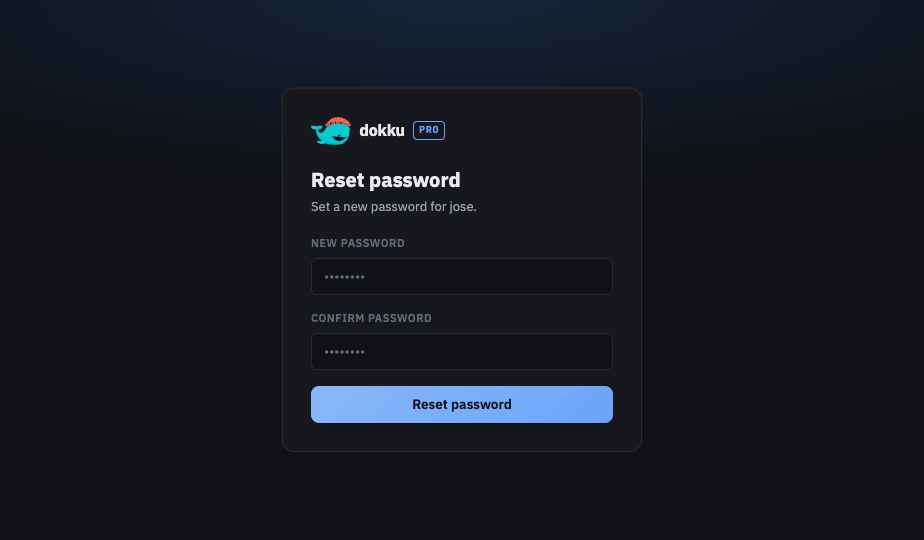
If no password is specified, a reset token is written to the user's record and a message like the following is printed. Give the user the reset URL so they can set their own password securely.
Password not specified for user, please have user browse to https://admin.dokku.me/auth/reset?token=ztYsYDzGAl to set an initial password
The same reset URL and token are shown on the user's page in the UI:
Destroying Users
Remove a user with users:destroy. Only the user is removed - remove the SSH key separately
with ssh-keys:remove.
-----> Destroying camilla...
 !     Skipping ssh-key removal for user, run 'dokku ssh-keys:remove camilla' to remove ssh-keys
Destroying a user also clears that user's activity audit, so a later user created with the same name starts clean. Commands the user ran against apps or services that still exist stay in those resources' activity, flagged to show the acting user has been deleted. See Activity and Job Logs for details.
Listing Users
Warning
This command does not include the default root user configured for Dokku Pro. It lists
only users explicitly added via users:create.
List users with users:list:
Refreshing a User's Password Reset Token
Refresh a user's password reset token with users:refresh-reset-token. This generates a new
token and prints the new reset URL.
-----> Refreshing password reset token for camilla...
       Password reset token refreshed for user, please have user browse to https://admin.dokku.me/auth/reset?token=bowYpDyPCv to set a password
Setting a User's Password
New as of 1.5.0
The users:set-password command is available in Dokku Pro 1.5.0 and later. After
upgrading, re-run sudo dokku-pro teams:install so the users plugin picks up the new
command.
Set the password for an existing user with users:set-password. A user may set their own
password, and an admin may set anyone's. Setting a password clears any outstanding password
reset token, so a reset link that was handed out earlier can no longer be used.
To keep the password out of your shell history and out of the process list, pass it on stdin instead:
users:create accepts the same --password-stdin flag. This is how the UI and the API set
passwords, so a password set from the browser never appears in an argument list.
The root user is the exception: it authenticates against ROOT_TOKEN rather than a stored
password, so its password cannot be set this way. See the
Configuration documentation.
Displaying a User Report
Display a report for a user with users:report: